Here is how to quickly and easily set up your Gmail calendar to show your airbnb calendar
Firstly log into your airbnb account and then click on your listing and then the calendar for your listing you require the calendar.
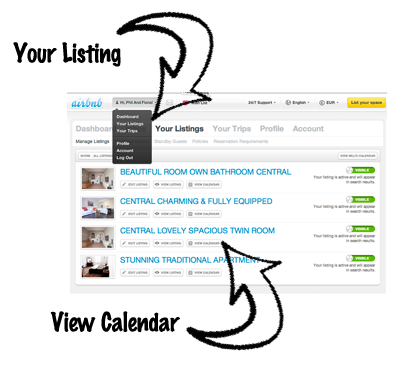
You will then find the URL link required for the Google iCal Calendar at the bottom of the page. You need to highlight and copy this link.

Then it is over to your Gmail account. Log in and go to your calendar and you will see on the left hand side there is another calandar tap, click this and you will see ‘add buy URL’. Just paste the URL in from the airbnb calendar page and your nearly done.
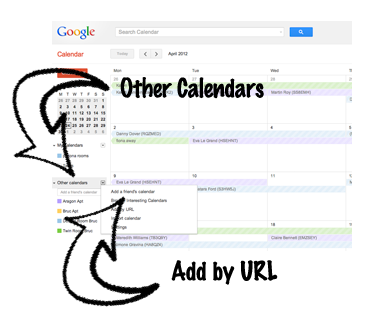
The last thing to do is to rename the calendar.
It’s very easy, just hit the drop down box next to your new calendar and click on calendar settings, there you can rename it to something more pleasing to the eye than http://www.airbnb.com/calendar/ical/186096.ics?s=fsdfbsdkjcc14bc18f28c0068af635227c21. Just press save and your airbnb calendar is now part of your google calendar.
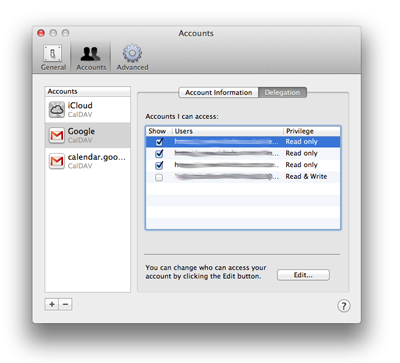
If you are using a Mac and iCal then when logged onto your iCal application you must go to preferences, then accounts and select delegation. Tick the calendars(s)you have added, and they will then appear in you iCal and synch with your other devices you have set up.
A note on icalculator format: It is available on a host of other calendars and calendar sharing platforms, but we use Google Calendar, so that is why I have only talked about this one.
'Setting up airbnb calendars' have 1 comment
April 24, 2012 @ 2:26 pm In the Pink!
[…] airbnb use the iCal format, so you can export your airbnb calendar or calendars straight out to your Google calendar […]